




The AI market for the digital workplace is now reaching its first plateau of maturity. Most large companies have adopted a pragmatic approach by deploying a combination of tools adapted to their technological environment. For many, this translates into adopting Gemini for Workspace for organisations using Google Workspace or using Azure OpenAI, supplemented by Copilot M365 for those operating in the Microsoft ecosystem.
This approach makes it possible to meet several objectives: limiting sensitive data leaks, maintaining active technological monitoring, and experimenting with targeted use cases. The question of costs remains central to this equation, and evaluating the ROI of AI projects remains difficult.
This economic reality pushes organisations to favour progressive and targeted deployments, except a few large groups, such as TotalEnergies or Danone, which have chosen a massive deployment of their AI assistants in their workplace. Devoteam also deployed Gemini for Workspace across the entire organisation.
What you’ll read in this article
GenAI in the Digital Workplace
Despite this first stabilisation phase, the AI market for the Digital Workplace continues to evolve rapidly on two main axes. On the one hand, every existing technology giant (Microsoft, Google, OpenAI) is continually augmenting their offers with new AI features. On the other hand, new players are emerging to meet specific needs.
1. Basic AI functionalities for the workplace
The rapid adoption of ChatGPT in companies initially aimed to prevent employees from using the public version in shadow-IT and potentially leaking confidential data. However, the emergence of integrated AI solutions like Microsoft Copilot and Google Gemini within existing work environments has significantly changed the landscape of generative AI in companies.
Many organisations are now exploring Microsoft Copilot and Google Gemini, a mature and promising solution that supports employees in daily tasks, enhancing productivity and allowing them to focus on high-value activities. Key use cases include:
- Summarising email exchanges in Outlook and Gmail: Copilot in Outlook can summarise email threads, highlighting key points and action items. Similarly, Google’s Gemini can summarise emails in Gmail, helping users quickly grasp the main points of conversations.
- AI-assisted email writing in Outlook and Gmail: Copilot can draft emails in Outlook with a specified tone and length. Google’s “Help Me Write” feature in Gemini assists with composing emails in Gmail, adapting to individual writing styles and company terminology.
- Summarising PDF documents: AI-powered PDF summarisers like those offered by Adobe Acrobat and Smallpdf can condense lengthy documents into concise summaries, extracting key information and saving time .
- Searching for information in a corpus of documents: Tools like Google’s NotebookLM Plus allow users to upload documents and ask questions, with the AI providing answers and citations from the uploaded sources.
- Meeting reports in Teams or Google Meet: Microsoft Teams provide attendance reports with details like who attended and when they joined or left the meeting. Google Meet offers similar functionalities, allowing for recording and transcription of meetings.
Beyond these core functionalities, AI is increasingly used for specific roles and tasks. For example, in the following articles, you can read how you can use Google’s Gemini AI assistance as a marketer, sales professional, HR manager, project manager or procurement employee. Don’t forget, the hardest challenge is to let people adopt the new technology. For a comprehensive guide on successfully integrating AI into your workplace, including practical implementation checklists, see our article on Gemini Adoption Best Practices and Microsoft 365 Copilot Change Management & Adoption
2025 AI digital workplace solutions: overview of tools
| Technology | Description |
|---|---|
| Microsoft | Microsoft integrates AI across its workplace tools through Microsoft 365 Copilot and Azure AI. Copilot assists with content generation in Word, Excel, and PowerPoint, data analysis, and email management in Outlook. Azure AI provides tools and services for developers, including Azure Machine Learning and Cognitive Services. Microsoft also offers Viva, an AI-powered employee experience platform, and specialised Copilot applications for sales, service, and finance roles. |
| Google offers AI tools through Google Workspace and Google Cloud. In Workspace, AI assists with tasks like smart composition in Gmail and grammar suggestions in Docs. Gemini, their family of AI models, includes Gemini Advanced for complex tasks, “Help Me Write” for content creation across Workspace apps, and Gemini Business for a dedicated AI interface. Gemini Gems enable users to create customised AI assistants for specific tasks. NotebookLM Plus allows users to upload documents and get AI-powered summaries and insights. Google Agentspace, launching in 2025, uses AI agents and Gemini to unify enterprise search across 80+ apps, breaking data silos. It automates tasks, enhances productivity, and improves decision-making with secure, compliant AI, accessible via a structured adoption roadmap. Google Cloud offers Vertex AI for building and deploying AI models and Generative AI Studio for experimenting with Gemini. | |
| Other players: | |
| Open AI | OpenAI provides tools like ChatGPT for human-like text generation and conversation, ChatGPT Enterprise for secure enterprise use, and GPT-4o, a multimodal AI model. They also offer DALL-E for image generation and Assistants API for developers to build AI-powered applications. |
| Claude | Claude focuses on safety, helpfulness, and reliability. It excels at advanced reasoning, making it suitable for coding and data analysis. Claude 3.5 Sonnet introduces “extended thinking” for deeper analysis and “Artifacts” for creating standalone content within the chat. |
| Mistral | Mistral AI emphasises open-source and efficient AI models. They offer Codestral for code generation, La Plateforme for building AI solutions, and Le Chat, a personalised AI assistant. Their focus is on customisable and portable solutions deployable across various environments. |
| Automation and workflow tools | |
| ServiceNow | ServiceNow provides AI solutions for automating workflows and enhancing the digital workplace. Now Assist offers generative AI capabilities for content creation and issue resolution. AI Agents automate tasks and workflows, while Virtual Agent provides quick answers through an intelligent chatbot. ServiceNow also offers AI Agent Studio for building custom AI agents and Generative AI Controller for managing AI tasks. |
| Atlassian | Atlassian integrates AI into its platform through Atlassian Intelligence, which enhances productivity and collaboration across its products like Jira, Confluence, and Bitbucket. Features include AI-powered summaries, natural language automation, and virtual agents for faster service delivery. Atlassian emphasises responsible AI development and data privacy . |
| Outsystems | Outsystems offers an AI-powered low-code platform that enables rapid development and deployment of applications, including those with generative AI capabilities. Their AI assistant, Mentor, can generate applications from prompts or requirements documents, automating parts of the SDLC. Outsystems focuses on accelerating development, improving efficiency, and enabling agile development at scale. |
| Data tools | |
| Snowflake | Snowflake integrates AI capabilities directly into its Data Cloud platform, enabling businesses to build and deploy AI/ML models and LLM-powered applications. Snowflake offers tools like Snowpark for developing in various languages, Streamlit for building interactive data apps, and Cortex for NLP tasks and AI agents. They focus on enabling data science, machine learning, and app development within a secure and governed data environment. |
| Databricks | Databricks provides a unified data intelligence platform with AI capabilities for data analysis, machine learning, and business intelligence. Their AI/BI product includes Dashboards for creating interactive visualisations and Genie, an AI-powered conversational interface for data exploration. Databricks emphasises a data-centric approach to AI, enabling model development, deployment, and governance within a unified environment. |
| Others | Other notable tools include those focused on specific tasks likeresearch (e.g., ChatGPT, Perplexity AI ), image generation (e.g., Leap AI, Midjourney ), |
| Software Development | |
| Cursor AI | Cursor AI includes a powerful autocomplete that predicts your next edit. Once enabled, it is always on and will suggest edits to your code across multiple lines, taking into account your recent changes. |
| Github Copilot | Github Copilot is a code completion tool, plain and simple. It speeds things up, helps you avoid basic errors, and keeps you moving. |
| AGNTCY | The concept of an “Internet of Agencies” is emerging, characterised by a standardised protocol for inter-agent communication. Organisations such as Cisco and Langchain are actively exploring this area. The objective is to establish a framework for agent interoperability akin to existing internet standards. Further information can be found at https://agntcy.org/. Strategies for model management include replacing existing agents or procuring alternative models. |
Upcoming functionalities & requirements
1. Autonomous agents
Tech giants are accelerating the development of autonomous AI agents capable of performing complex tasks proactively. With Copilot Studio, Microsoft allows companies to create custom agents capable of interacting with their internal systems.
Google is developing advanced versions of Gemini, intended to act as multi-application intelligent assistants. OpenAI, for its part, is working on “AI agents”. They can browse the web, perform autonomous actions and pave the way for more advanced automation.
2. Sovereign AI
Sovereign alternatives such as Mistral AI or Claude are positioned in sensitive markets (public sector, defence) by emphasising data sovereignty and European hosting.
Mistral AI, for example, offers high-performance open-weight models. Companies can host them on their infrastructures, thus guaranteeing total control of the data. For its part, Anthropic with Claude 2.1 stands out with its advanced capabilities for interpreting and moderating responses, meeting organisations’ security and ethics requirements.
3. Integration into traditional solutions
Traditional Digital Workplace solution publishers (Adobe, Klaxoon, Notion, Xmind, Jira) gradually integrate AI features into their products, creating an enriched ecosystem around existing tools.
Adobe recently integrated Firefly’s generative image and editing AI into Photoshop and Illustrator. Firefly allows users to generate visuals or modify elements by simply entering text. Klaxoon, for its part, is exploring the automation of brainstorming summaries thanks to generative AI applied to brainstorming and collaborative boards, thus facilitating the restitution of ideas and rapid decision-making.
Major challenges for organisations
1. AI Adoption in the workplace
We believe that it is important to integrate AI, in particular Microsoft Copilot, into your digital workplace strategy. For a comprehensive guide on successfully integrating AI into your workplace, including practical implementation checklists, see our article on Gemini Adoption Best Practices and Microsoft 365 Copilot Change Management & Adoption
Here are some tips & tricks you can take into account:
- Adopt the small-steps technique: Deploy Microsoft Copilot strategically and gradually in successive iterations. The tool’s economic cost, the need to control its use, and its technical requirements, particularly regarding data governance, should encourage you to take small steps.
- Target high-impact areas to integrate Microsoft Copilot: Target populations where AI brings recognised value, such as legal, HR or management departments that process large volumes of documents. Consider using GenAI for project management as well.
- Mixing Gen AI solutions into your Digital Workplace: Offer different digital tools adapted to the specific needs of each department without incurring excessive costs. ChatGPT enterprise, Bing or Copilot in Teams, for example, empower employees in several common use cases, such as summarising meetings or helping to write texts.
- Defining clear data governance rules: Ensure that data governance rules are well defined to secure sensitive information in your environment. This precaution is necessary whether or not you decide to implement Copilot in Microsoft 365. Whether data breaches are accentuated by the adoption of Copilot or not, they represent a major risk for your company.
- Team support and training in Artificial Intelligence: Support teams in GenAI adoption to enhance user experience. Train employees to use generative AI and data governance rules to maximise the benefits and minimise the risks. Help employees understand prompting rules. Experts like Devoteam can also be involved in the co-construction of prompt repositories to make it easier for your company to acculturate the technology.
2. Optimising the cost-value ratio
The first challenge is to maximise the return on investment of AI solutions.
This involves:
- The precise identification of high value-added use cases, as illustrated by the experiments conducted with our customers. For example, a panel of several hundred employees made it possible to map the most relevant uses of Copilot.
- The rigorous selection of target populations for the deployment of licenses. Priority will be given to profiles and directions for the most significant impact.
- Support for change and user training to ensure the adoption and development of good practices.
- A schedule to explore the full potential of the tool, whether by tool (M365 Copilot in Word, in Outlook, in Teams, etc.) or by large families of uses (M365 Copilot in meetings, in communications, in ideation, etc.).
- Regular iterations to list generic use cases (common to all employees regardless of their positions) and specific use cases.
- Strong sponsorship will make it possible to gain in efficiency and relevance in an experiment of this type.
3. Structuring governance
The second major challenge is setting up an organisation capable of effectively managing these Digital Workplace AI tools.
Companies must:
- Establish balanced governance, which encourages innovation while controlling the risks of using AI.
- Ensure continuous technological monitoring to follow rapid market developments and identify opportunities.
- Ensure that developments or new features of deployed solutions comply with the company’s security rules.
- Develop and maintain shared resources (such as prompt libraries) to facilitate adoption and standardise usage.
- Implement an end-to-end identification and integration process for these new “AI-enabled” solutions, ensuring the company’s constraints (security, infrastructure, regulations, etc.) are met. Supervising these new deployments is essential to avoid any redundancy in the functional coverage of the solutions made available in a strategy for providing tools to employees.
Thus, at some of our clients, we are seeing the establishment of dedicated teams within the Digital Workplace department to manage these initiatives.
Conclusion
Faced with the rapid democratisation of AI in business, waiting is no longer a viable option.
Organisations must position themselves quickly to avoid the risks associated with uncontrolled adoption by their employees while ensuring they maximise the value generated by these investments. The key to success lies in balancing controlled experimentation and progressive governance structuring.
Beyond enhancing collaboration, the integration of AI within your digital workplace, especially through generative AI, can also significantly boost productivity through automation and AI across various tasks and workflows.
Are you looking for guidance in this process? Devoteam’s experts are with you every step of the way to make AI a major lever for improving the employee experience. Contact us now!
Over 80% of AI projects fail. Yours don’t have to.
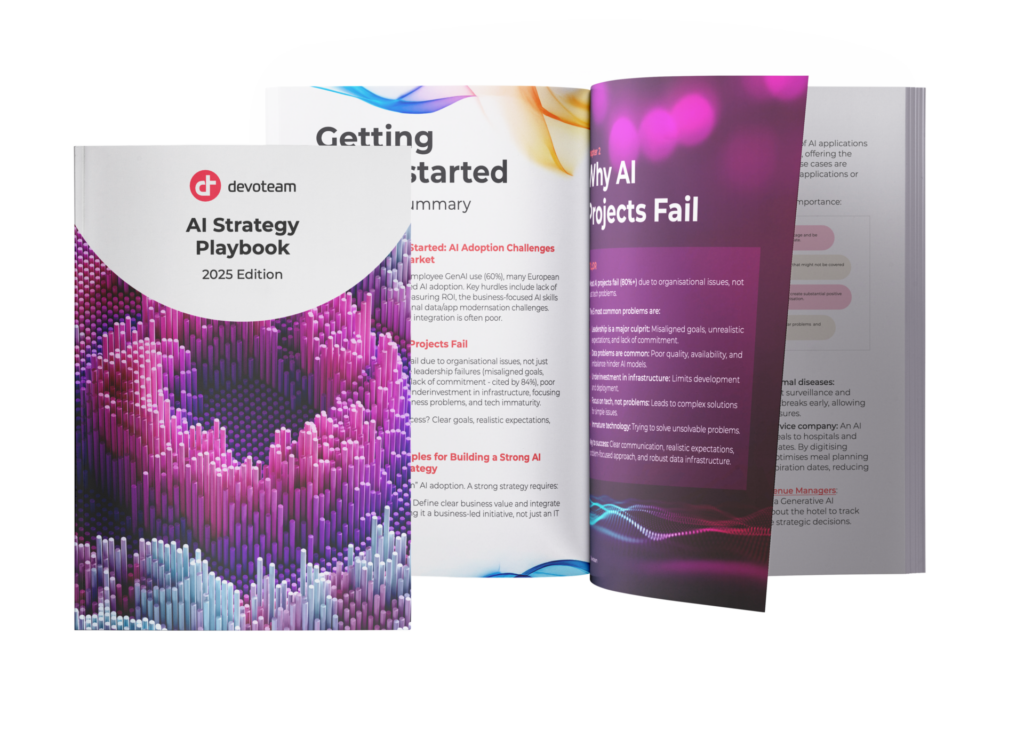
Download our AI Strategy Playbook:
- Learn why AI projects often fail (and how to avoid it).
- Follow 10 clear steps for a strong AI plan.
- Focus on solving business problems (not just using AI).
- Find the best AI uses for your business (includes 100+ examples).
- Learn how to measure AI results (GenAI projects average ~3.7x return).
- Get your tech foundations ready (Cloud, Data, and AI Security).
- Help your team adapt to AI (and see how we train our staff).
- Use AI responsibly (covering fairness, bias, and environmental thoughts).