


Introduction
When talking about apps, speed is a currency. While a beautiful design might catch a user’s eye, a slow-loading page will lose their heart (and their business) before they even see it. We’ve all been there: You click, you tap, and… nothing happens. Ten seconds pass, and you’ve already hit the “back” button to find something else.
In this article, I will show you how to speed up your applications, from lazy loading to smart caching. We will explore how frontend development shapes user experience from a performance perspective. Join me to see why speed is the bridge between a visionary product and a frustrated user.
But let’s start from the very beginning!
What is the Frontend?
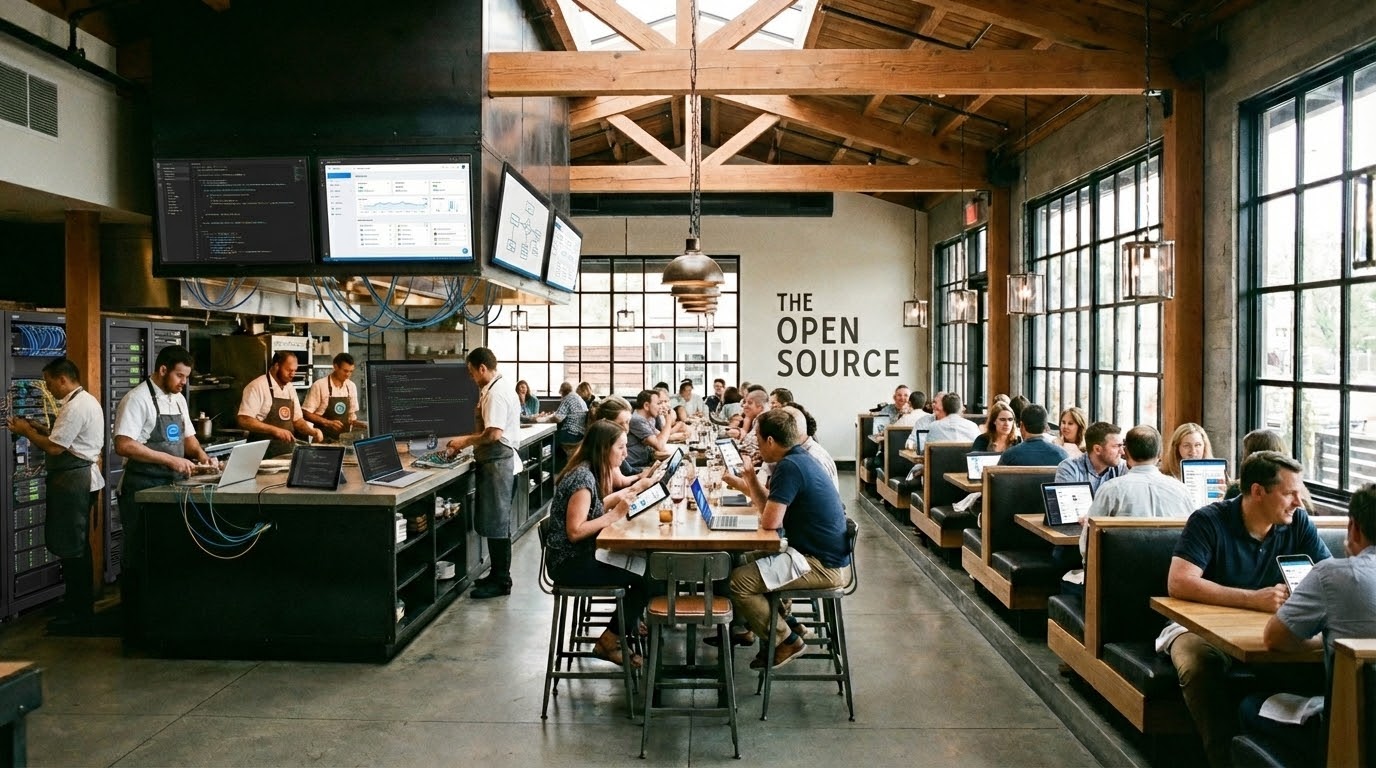
Imagine your app as a restaurant. The frontend is everything your customers see and interact with: the dining room, the menu, the tables, and how the waitstaff serves you. Behind the scenes, there’s a kitchen (the backend) preparing your food, but customers care about their dining experience.
In the same way, users don’t think in technical terms when they open their website or app. They see one cohesive experience. That’s exactly what you want. Great products feel unified, where design, user experience, frontend, backend, data and infrastructure work together seamlessly and (to the end user) invisibly. It’s like the whole restaurant working smoothly together.

When you visit a website, you’re experiencing the frontend: every button you click, every page you scroll through, and every image you see. It’s your product’s face to the world, and just like a restaurant, first impressions matter enormously.
Why Speed Matters?
Imagine going into a restaurant where it takes 10 minutes for the staff to notice you’ve walked in, another 10 minutes for you to be seated, and the cash register freezes every time you try to pay. You’d probably leave, right? Performance is something we always need to think about in the frontend of the application. It’s what the user sees, what they interact with (think buttons, loading states, images).
4 Steps to Better Speed
So, how do we improve the speed? For a user to have a smooth and seamless experience with what they’re looking at, we have to think about what we don’t want them to notice. This can range from image handling, bundling of the application, to the very basics of handling the DOM (Document Object Model). Below are 4 ways to improve the speed, which we’ll dive deeper into.
1. Making Images Load Like Magic

The Problem
Pictures are like heavy furniture – they take time and effort to move around. On websites, images often make up more than half of what needs to load, which can slow everything down dramatically.

The Solution – Smart Loading
Instead of trying to load every single image at once (like trying to carry all your groceries in one trip), we use lazy loading. This means we only load images when someone actually needs to see them.
Think of it like a photo album: you don’t need to see every photo at once, just the ones on the page you’re currently viewing. When you flip to the next page, then we’ll show you those photos. This makes the initial experience much faster and smoother.

Real-world example
When you scroll through Instagram, you’ll notice images appear just before you reach them. That’s lazy loading in action!

2. Preventing System Overload
The Problem
Imagine if every time you typed a letter in a search box, someone ran to the library to find results. By the time you finished typing “restaurant,” dozens of people would be running back and forth with irrelevant results for “r,” “re,” “res,” etc.
The Solution – Smart Timing
We use two techniques called debouncing and throttling – techy names for simple concepts:
Debouncing is like waiting for someone to finish speaking before you respond. Instead of reacting to every keystroke, we wait until you’ve stopped typing for a moment, then search for what you actually want.
Throttling is like having a speed limit. If someone clicks a “refresh” button repeatedly, we limit how often the system actually responds, preventing it from getting overwhelmed.
Real-world example
Elevators use debouncing! When you press the “close door” button, it doesn’t slam shut immediately, it waits a few seconds in case someone else needs to get on.

3. Writing Better Code
The Problem
Messy code is like a confusing recipe with unclear instructions, missing steps, and ingredients scattered everywhere. A well-written recipe is clear, organised, and efficient; you can follow it easily and get great results quickly.
The Solution – Better Code
Good code means:
- Faster websites (like having all your ingredients prepped and organised)
- Fewer bugs (like catching mistakes before you burn dinner)
- Easier updates (like being able to modify a recipe without starting over)
4. Smart Storage for Speed
The Problem
Let’s say you work in a kitchen and have to go to the basement storage every time you need something. It’s the same on the web; asking a server for the same data over and over again is just as exhausting and time-consuming.
The Solution – Caching
Caching is like keeping frequently used items in your kitchen cabinets, instead of going to the storage room every time a new guest shows up. Save your knees and keep everyday items in your kitchen cabinets.
On websites, we store copies of frequently accessed information in quick-access locations:
- Images and files get stored locally (like keeping snacks in your desk drawer)
- Search results get temporarily saved (like bookmarking useful websites)
- Calculations get stored instead of redone (like writing down math answers instead of recalculating each time)
Real-world example
When you revisit a website or perform similar actions, everything feels instant, almost magical!

What Makes a Great User Experience
We focused on the speed. But that’s not everything. A fast, well-optimised website should feel:

Useful – It does what you need it to do

Smooth – Everything flows naturally without jarring stops or delays

Accessible – Everyone can use it, regardless of their abilities or technology

Consistent – It works the same way every time

Invisible – The technology gets out of the way so you can focus on your goals
The Bottom Line
Performance optimisation is like being a great host. You want your guests (users) to feel welcome and comfortable, with everything they need readily available. When done right, they won’t even notice the technical magic happening behind the scenes, they’ll just know that your website feels fast, smooth, and enjoyable to use.
The best technology is invisible technology. When your website performs well, users can focus on what really matters: accomplishing their goals and having a positive experience with your brand.
Is your application losing customers before they even arrive?
Contact our experts and give your users the smooth, seamless experience they expect.