



At Microsoft Ignite 2025, the company introduced Microsoft Work IQ as part of a broader architectural shift in how enterprises deploy artificial intelligence. The announcement centered on addressing what Microsoft identifies as the “context gap”. It is the inability of previous AI tools to maintain a persistent understanding of users’ professional environments, relationships, and work patterns.
Microsoft Work IQ serves as an intelligence layer designed to provide Microsoft 365 Copilot and enterprise agents with continuous contextual awareness across the organisation’s digital workspace.
81% of business leaders in these organisations expect agents to be integrated into workflows within 12 to 18 months.
The Frontier Firm
Microsoft Work IQ announcement was framed within the concept of the “Frontier Firm”, organisations that have moved beyond experimental AI deployments to integrate intelligence throughout their business processes. These firms are characterised by hybrid workforce models where employees work alongside AI agents rather than using AI as an occasional tool.
According to Microsoft’s data, 81% of business leaders in these organisations expect agents to be integrated into workflows within 12 to 18 months. The model introduces roles such as the “Agent Boss,” where employees manage fleets of AI agents rather than focusing solely on individual output. The shift aims to reduce operational friction. Microsoft notes that employees in traditional settings face interruptions every two minutes from meetings, emails, and notifications. Frontier Firms seek to offload routine coordination tasks to agents, allowing human employees to focus on strategic work.

We see a shift from the era of AI Transformation to the era of AI Frontier, where intelligence becomes the foundation for every experience, every workflow, and every decision, and Work IQ is redefining productivity with context-aware intelligence woven into everyday tasks.
Tim Sente
CTO Microsoft Business Unit at Devoteam
What is Microsoft Work IQ
Microsoft Work IQ is defined as the intelligence layer that enables Microsoft 365 Copilot and agents to understand individual users, their job functions, and organisational context.
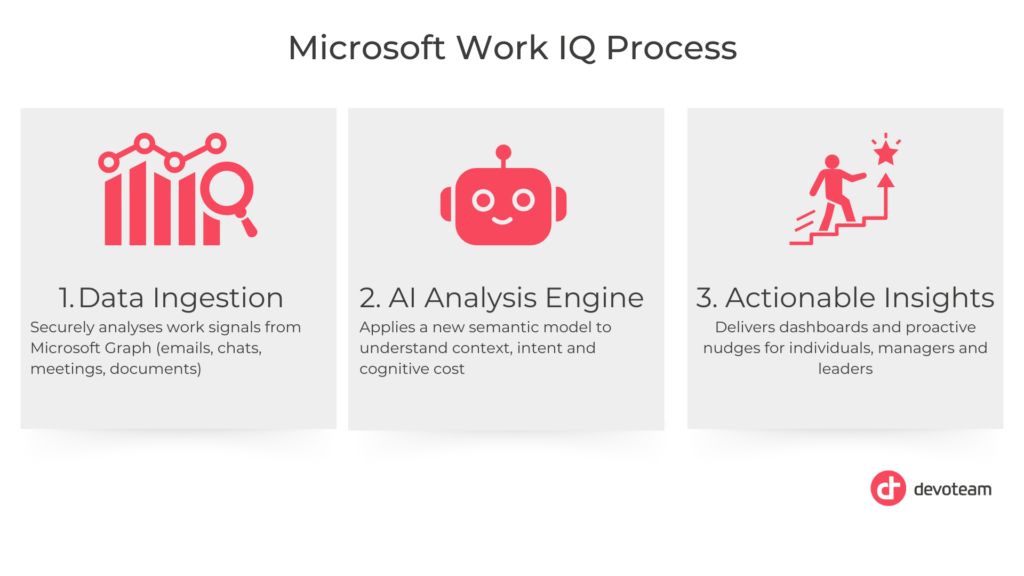
It operates through a three-part architecture: Data, Memory, and Inference.
Data
The Data component encompasses information within the Microsoft 365 tenant, including emails, Teams chats, meeting transcripts, and documents stored in SharePoint and OneDrive. Microsoft Work IQ analyses this content semantically rather than treating it as static files. It processes communication artefacts for intent and commitments, indexes content by meaning rather than keywords, and tracks business signals such as relationships and project timelines.
The system uses native integrations with Microsoft Graph and M365 applications, which preserve metadata that third-party connectors typically lose, such as editing history and meeting context.
Memory
Microsoft Work IQ introduces persistent memory that retains context across sessions. The system learns user preferences for communication style, document formatting, and workflow patterns. It tracks repetitive task sequences and can anticipate when similar actions may be needed.
A notable feature is the “Work Chart,” which distinguishes between formal organisational hierarchy and actual collaboration patterns. Microsoft Work IQ identifies who users work with most frequently, regardless of reporting structure. This memory allows Copilot to recall previous discussions and projects without requiring users to re-establish context in each session.
Inference
The Inference capability transforms stored data and memory into actionable intelligence. It identifies connections between disparate information, linking casual deadline mentions in chats with formal project plans, for example. The system can predict user needs based on current activity. For example, offering to create a briefing document when it detects an upcoming client meeting. In multi-agent environments, Inference routes requests to appropriate specialised agents based on task requirements.
The Feedback Loop
Microsoft Work IQ operates through what Microsoft describes as an AI-powered feedback loop. As users interact with Microsoft 365 applications, the system observes which suggestions are accepted, which agents are used, and how workflows evolve. This telemetry refines the system’s understanding of individual work patterns and organisational dynamics over time.
The Intelligence Layer
Microsoft Work IQ is one component of a three-part intelligence architecture that includes Fabric IQ and Foundry IQ. Each addresses different data domains within the enterprise.
Fabric IQ manages structured business data, organising information around business concepts rather than database schemas. It unifies analytics and operational data, allowing AI agents to query business metrics like “Revenue” or “Customer Churn” without understanding underlying table structures.
Foundry IQ provides agentic retrieval capabilities for technical knowledge bases and custom applications. Built on Azure AI Search, it simplifies Retrieval-Augmented Generation (RAG) by offering a single API that connects agents to multiple data sources while handling permissions and indexing automatically.
The three layers enable what Microsoft calls a “One Brain” architecture. Custom agents access productivity data, business metrics, and technical documentation through Work IQ, Fabric IQ, and Foundry IQ simultaneously. This enables cross-system reasoning without requiring manual integration projects.
Integration with Microsoft 365 Copilot
Microsoft Work IQ powers a new interaction model called “Agent Mode” within Word, Excel, and PowerPoint. This shifts the user role from executing tasks to directing multi-step workflows while the AI handles execution.
In Excel, Agent Mode can generate spreadsheets, create formulas, apply formatting, and build visualisations from natural language prompts. The system can detect errors in its own work and correct them before presenting results. Use cases include financial modelling, budget tracking, and loan calculations.
In Word, the system facilitates collaborative authorship by pulling specific data from emails or files to populate documents. It applies consistent formatting based on learned user preferences and organisational brand guidelines.
In PowerPoint, Agent Mode focuses on translating strategy documents or meeting notes into structured presentations. It handles both narrative flow and visual design automatically.
Microsoft describes this interaction pattern as “Vibe Working,” where users act as directors while AI agents serve as producers. Microsoft Work IQ maintains context across iterative refinements, ensuring the agent doesn’t lose track of the project’s evolution.
Agent Ecosystem
Microsoft Work IQ’s intelligence layer is accessible to custom agents through APIs and Microsoft’s Agent Factory development program. Organisations can build agents in Copilot Studio that leverage Microsoft Work IQ for contextual understanding while respecting data permissions and security policies.
Microsoft announced several first-party agents to demonstrate the system’s capabilities:
- Workforce Insights Agent analyses organisational health and team dynamics by combining Work Chart data with HR information
- Sales Development Agent researches prospects and qualifies leads using internal knowledge to contextualise outreach
- People Agent maps relationships and suggests connections based on shared projects and communication history
- Learning Agent delivers personalised training based on role and skill gaps identified through work patterns
To manage the proliferation of agents, Microsoft introduced Microsoft Agent 365 as a governance control plane. It addresses concerns about unmanaged “shadow AI” accessing sensitive data.
Also read: Microsoft AI Agents: A Deep Dive into Frameworks and Platforms
Conclusion
Microsoft Work IQ represents Microsoft’s approach to solving the context problem in enterprise AI by creating a persistent, learning intelligence layer across its productivity suite. The system’s value depends on data quality and governance. Organisations must ensure that proper permissions and data hygiene are in place within Microsoft 365 for the technology to function effectively.
For enterprise decision-makers, the priority is mapping current data architecture to Microsoft’s Work IQ, Fabric IQ, and Foundry IQ models to identify gaps before deploying custom agents. Early experimentation with Agent Mode in core applications can help teams develop new workflow patterns while the broader organisational change takes shape.
The shift toward agentic workflows introduces new management requirements. Organisations will need to train employees not only to use AI assistants but to direct and audit agent work. The transition from “doing the work” to “directing the work” requires cultural adaptation alongside technical deployment.
Download the Copilot Tips
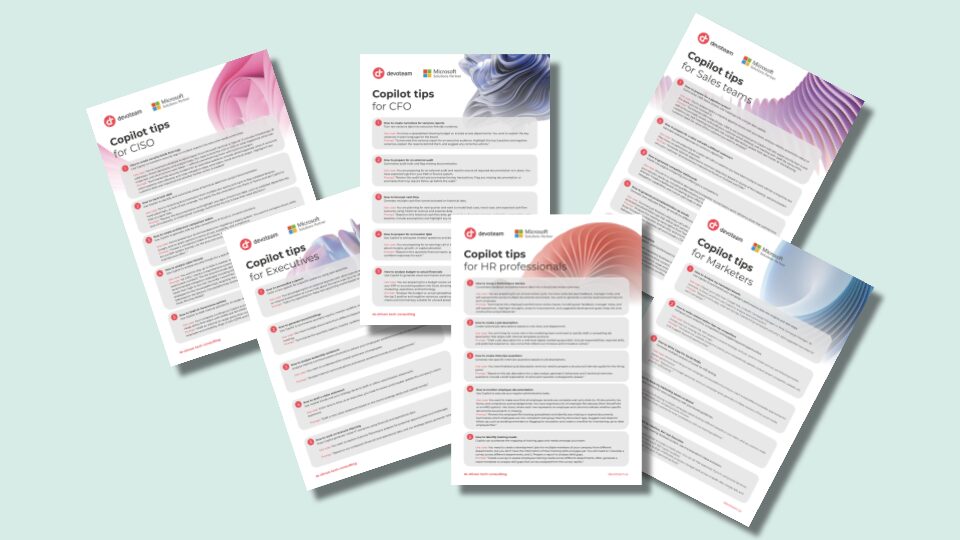
Copilot isn’t for just on role – it’s for every role!
Our team of experts compiled top Copilot tips for smarter decisions, better productivity and efficiency. Download our role-based tips for: