


Estimated reading time: 19 minutes
I. Introduction
Google’s NotebookLM is a tool that unlocks trapped knowledge and turns it into a shared resource for the whole team. It’s a practical way to create a central source of truth for a project, a department, or your entire company.
Preparing for a crucial client meeting, onboarding a new hire, or taking over a project—every critical business task begins with this challenge. The key insight you need could be buried in a year-old presentation, a long email thread, or the notes of a team member. In any organisation, scattered information makes it hard for teams to stay aligned and do their best work.
In this guide, we go over NotebookLM’s features, limitations, and pricing and provide expert tips, strategic business use cases, and steps for enterprise adoption.
Did you know? With NotebookLM, you can generate an interactive podcast of several sources in just seconds. Tune in to the NotebookLM podcast based on this article.
II. What is NotebookLM?
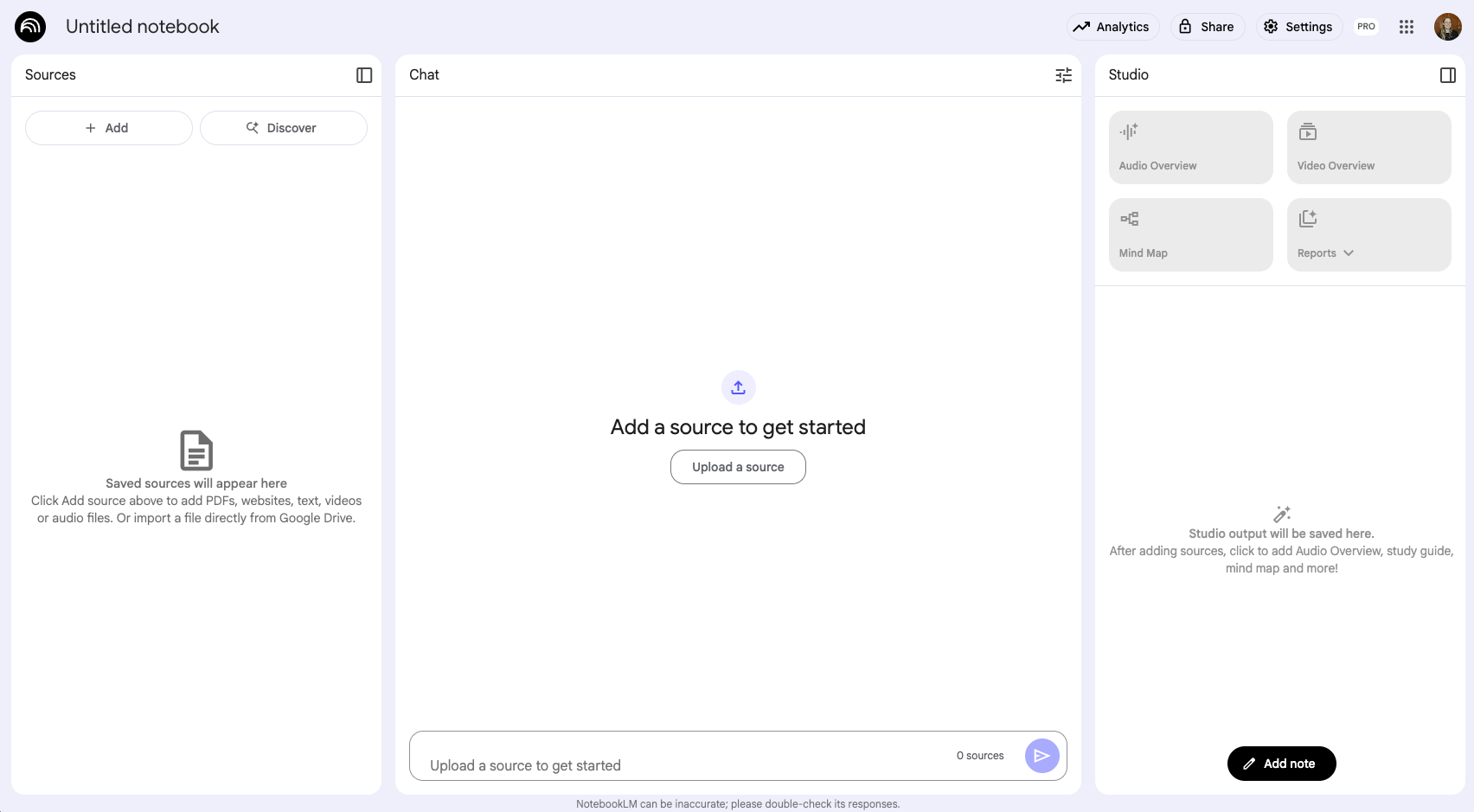
Google’s NotebookLM, launched in 2023, is an AI-powered tool designed to help users better understand and work more effectively with their documents. Initially, Google referred to it as your personalised AI research assistant, but now, over two years after its release, it is clear that NotebookLM is providing valuable use cases beyond research by uncovering strategic business moves, improving team operations and daily efficiency, and enhancing individual productivity and learning.
NotebookLM’s speciality lies in being a grounded AI tool that uses Retrieval-Augmented Generation. Imagine this process like having an expert researcher (the AI) asking a librarian to find information from a specific collection of books (your uploaded sources). The AI then uses its reasoning skills on that specific information to form an answer. Unlike general AI chatbots such as Gemini, ChatGPT, and others, NotebookLM only uses information from the uploaded sources to generate responses, minimising hallucinations.
NotebookLM is offered as a free version and a Pro version, including a high-security enterprise tier. Most of the features are available in the free version, but important data privacy considerations should be made for businesses before using the free version.
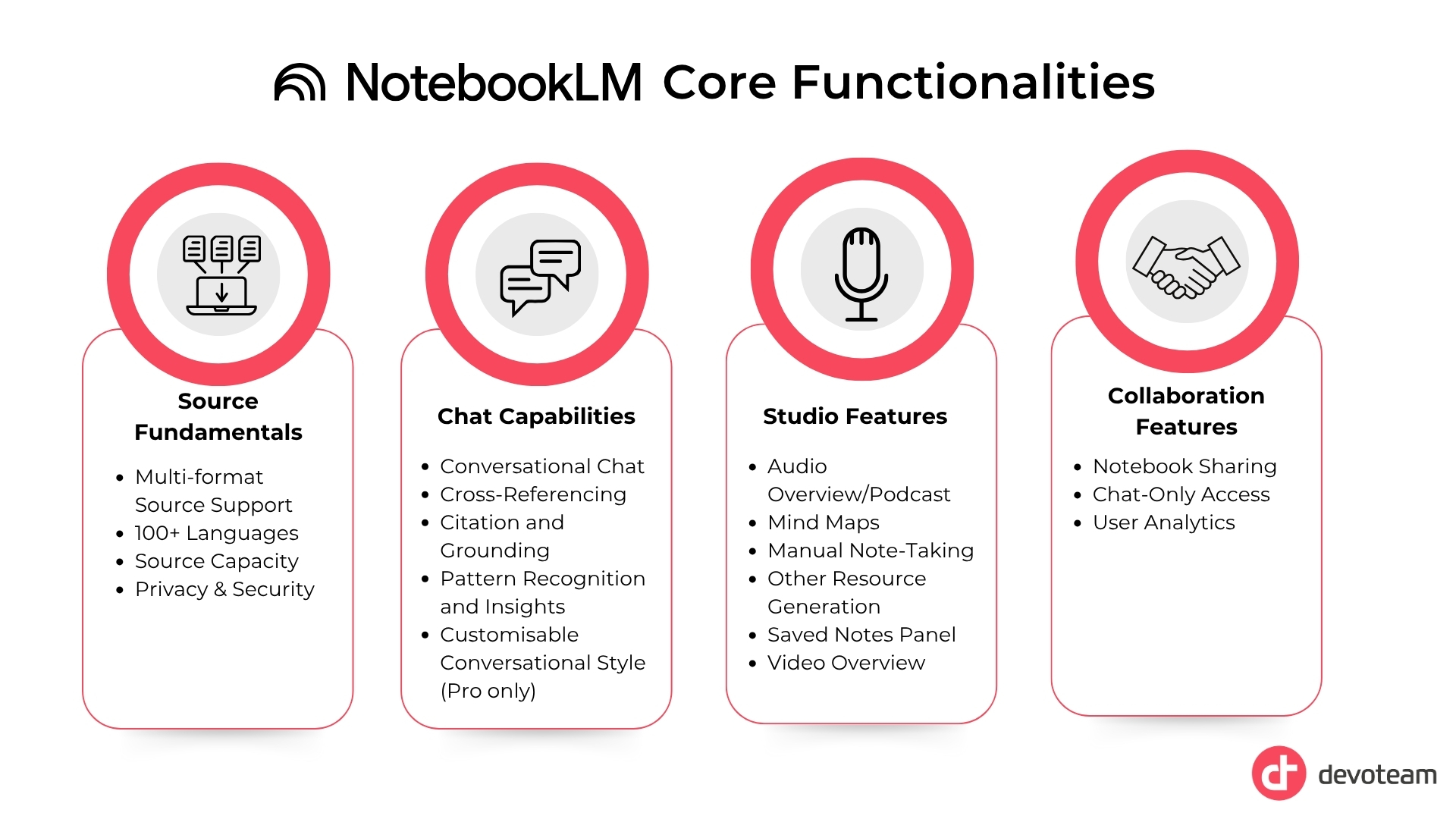
Source Fundamentals
This section covers the fundamentals of sources, from the various accepted file formats to privacy features.
Multi-Format Source Support
You can upload various file formats or prompt NotebookLM to search for sources around the web. The platform is designed to handle a wide array of content types, from standard documents to multimedia files, such as:
- PDFs & Text Documents
- Google Docs & Slides
- Microsoft Suite documents (Pro version only)
- Website links
- YouTube videos
- Audio Files (e.g., voice notes, meeting recordings)
- Markdown Files
- Copied Text
Here’s where it gets clever: It transcribes audio and turns speech into searchable text. It also digitises handwriting from, e.g., PDFs, making every note accessible.
100+ Languages
It can read and process documents in various languages, making it a powerful tool for teams that work with global information and gain key insights, all in the language they are most comfortable with.
Source Capacity
In the free version, a single notebook can hold up to 50 sources, with up to 300 sources available in NotebookLM Pro. Each source is limited to 500,000 words. This capacity allows you to organise vast amounts of information into a centralised knowledge base for large projects.
Privacy and Security
For Pro users, uploaded documents remain private to the user’s account and are not used to train or update the underlying large language model. This ensures confidentiality for personal or proprietary information.
Chat Capabilities
This section covers the details to understand how to interact with the sources, from recognising new patterns between sources to cross-referencing facts.
Conversational Chat
You can chat with your sources by asking questions and receiving answers strictly based on the provided documents. This ensures you get quick, focused answers without manually scanning through documents.
Cross-Referencing
The tool connects scattered information across multiple sources, highlighting similarities and differences and helping you find information gaps. This allows you to perform critical analysis faster by highlighting areas that require deeper investigation or may represent a gap in the sources.
Citation and Grounding
NotebookLM provides annotations and citations that link directly to the exact location or snippet in your original source, enhancing credibility by allowing you to verify information instantly.
Pattern Recognition and Insights
It identifies patterns and trends, generates hypotheses and new connections between your notes. This accelerates the leap from raw information to synthesised insights.
Customisable Conversational Style (Pro only)
For more tailored results, you can configure the conversational style, adjust the response length, and create a “personality” for each notebook.
Studio Features
This section covers the Studio features. Here, you can generate new assets from your sources with just one click and find the list of saved notes.
Video Overview
Our brains are wired to prioritise and rapidly process visual input. The newest feature in NotebookLM taps into that knowledge and, in one click, generates a video overview in 80 different languages based on the added sources. It provides a helpful visual aid for understanding complex concepts. You can customise the output of the AI host for a more focused video.
Audio Overview/Podcast Feature
This feature generates a human-sounding podcast between two AI voices in 80 different languages based on your source content, which is useful for reviewing material.
- It features an interactive mode that allows you to ask questions and interrupt the podcast conversation using your voice.
- You can customise the audio overview’s focus, approach, and sophistication level.
- You can download the generated audio files.
Mind Maps
NotebookLM creates visual mind maps (word webs or semantic maps). These can be expanded, collapsed, and downloaded as images. It transforms information in the sources into a visual structure, making it easier to understand complex topics.
Manual Note-Taking
You can manually add your own notes within the notebook and convert these notes into new sources, allowing you to build upon the AI’s analysis with your own insights.
Other Resource Generation
It can create resources such as study guides (complete with quizzes, questions, and key terms), FAQs, timelines, and briefing documents.
Saved Notes Panel
This feature provides a centralised location for all saved chats and resources generated within Studio. Its function is to allow you to easily access and convert them into sources, helping you preserve important interactions and avoid redundant inquiries.
Collaboration Features
These collaboration features enable teams to share knowledge through notebooks and gain insights into their usage. Some of these features are available to NotebookLM Pro users only.
Notebook Sharing
You can grant viewer or editor access to other members in your organisation. This allows you to scale expertise and instantly answer repetitive questions across your team.
Chat-Only Access
For specific use cases, like HR inquiries, you can restrict a Notebook to chat interactions only, preventing direct access to its source documents.
User Analytics
For shared notebooks, it provides analytics such as the number of users and queries per day (requires a minimum of four shared users), which helps understand how the shared knowledge base is used.
Limitations
As powerful as NotebookLM is, it is not perfect. Before fully trusting an AI tool’s output, it’s important to know its limitations.
Limited to Provided Sources: This is one of NotebookLM’s greatest strengths, but it is essential to keep in mind that it cannot “go and Google by itself” or answer questions about concepts not present in the uploaded documents. If the information isn’t in your sources, it won’t be able to provide an answer.
Dependence on Data Quality: NotebookLM’s performance is highly dependent on the quality of the input data. Poorly transcribed interviews or fragmented notes lead to inaccurate results. As the saying goes—garbage in, garbage out.
Manual Updating: As of now, all sources you add (including PDFs, Google Docs, and Slides) are static, which means they do not update automatically. To use a newer version of any file, you must manually remove the old source and add the new one.
No Saved Chats: NotebookLM doesn’t keep a memory of any chats; however, you can save your chats as notes and even convert those notes to sources.
Not a Replacement for Human Thinking: NotebookLM should aid human understanding, not replace critical thinking or decision-making. Users should be aware that it can make mistakes and misinterpret information.
III. Use Cases at Devoteam & Tips and Tricks From Our Experts
To illustrate NotebookLM’s impact, we turn to the people who use it to solve daily business challenges. We’ve asked three Devoteam experts: Charlotte Pletinckx, Eray Yildirim, and Khachatur Papikyan, to rashare their experiences and pro tips for NotebookLM.
Charlotte Pletinckx: People Factor – The Key to Success
For Charlotte, Change Management Lead at Devoteam, NotebookLM is a versatile partner that streamlines business tasks. Its greatest strength is bringing scattered information into one place, fixing the common problem of searching across multiple documents and platforms.

NotebookLM is a valuable ally for anyone who deals with extensive documentation. It significantly reduces the time spent reading, viewing, and analysing information.

Charlotte Pletinckx
Head of Change Management at Devoteam G Cloud
Here are her key takeaways on using it effectively.
Everyday Business Wins
By centralising information, NotebookLM makes daily tasks much more efficient. Charlotte highlighted the following business-related examples:
- Faster Onboarding: Create a single notebook with all essential materials. New team members can ask it questions directly, getting up to speed instantly.
- Simple Handovers: Before a holiday, compile all client notes and project details into a notebook, giving your team a single source of truth from which to work.
- Smarter Meeting Prep: Instead of manually sifting through vast archives of conversations and meeting minutes, use NotebookLM to instantly synthesise months of discussions and get quick summaries with key talking points.
Pro Tip for Best Results
To get the most accurate results when using complex jargon, Charlotte recommends adding a glossary to your notebook as a source. A document with important terms and definitions can be useful for legal texts or specific industry jargon, as it helps the tool understand and use the terms correctly. This is crucial when working in smaller languages.
From Innovation to Adoption
Charlotte shared an example from a client who uses NotebookLM’s interactive podcast to share company strategy. After uploading the key documents, the tool creates an audio summary that employees listen to and can interrupt with questions specific to their role, creating a deeper and more personal understanding of the vision.
The tool is so effective that some businesses are exploring whether it could replace existing knowledge systems like Confluence, potentially leading to significant cost savings.
However, technology by itself gets one only so far. The people factor is key to any successful AI adoption. To get real value and maximise the return on investment, she explains that businesses need a change management plan to bridge the gap between the technology and the people. Her approach focuses on four key pillars:
- Analysis: Understanding the company culture to tailor the rollout.
- Sponsorship: Ensuring leaders and managers actively promote the tool.
- Training: Customising sessions based on what users need.
- Communication: Clearly explaining the “why” and “how” behind the change.
For an extra boost in engagement, she adds that an optional fifth pillar, Gamification, can make the adoption process more successful. By introducing elements like team challenges, it taps into people’s drive for achievement and turns learning the tool from a chore into a fun, rewarding experience.
Connecting NotebookLM with a people-focused plan transforms it from just an application into a valuable business ally that streamlines work and becomes an indispensable part of daily work.
Eray Yildirim: Building a Team of AI Specialists
For our expert Eray, Senior Consultant at Devoteam, the magic of NotebookLM lies in its focus. He advises against creating one giant notebook that does everything. Mixing unrelated files in one place (for example, project plans, client notes, and HR policies) will only confuse the AI and lead to generic or irrelevant results. Instead, he recommends building specialised AI assistants for specific tasks.
Every specific use case should have its own Notebook. You wouldn’t go to your maths teacher to ask for help with your history homework and vice versa – don’t treat your Notebook any differently.

Eray Yildirim
Senior Consultant at Devoteam
With this approach, you can turn NotebookLM into a team of specialists, each an expert in its domain.
Putting Your AI Specialists to Work
Eray suggests creating role-based notebooks to make information instantly accessible and actionable. His top examples include:
- Business Analysis: Quickly understand a new client’s company structure by uploading their Google Workspace data, or drop in fiscal year reports to identify trends and analyse company turnover without sifting through spreadsheets.
- Team Knowledge Hubs: Create an internal knowledge base with company policies. A new recruiter could ask, “What are the steps for posting a new job?” and get an instant, accurate answer. This can be shared as a chat-only notebook for new starters.
- Personal Development: Supercharge your learning by creating study guides for certifications. Eray makes notebooks with questions and answers to study for Google Partner certifications and then uses the audio overview feature to revise while at the gym or on his commute.
Pro Tips for Best Results
To get the best performance from your specialised notebooks, Eray shares three key tips:
- Give it a Personality: Click “Configure chat” and customise the AI’s persona for each notebook. An “analyst” personality will yield different results than a “creative assistant.”
- Combine AI Strengths: Use a tool like Gemini for deep research to gather information from the web, then add the output from Gemini as a source in NotebookLM. This gives you a quick workflow for turning broad web research into a focused and interactive knowledge base.
- Beyond Google: Your Microsoft Data, Too: The enterprise version gives you the best of both worlds. Hosted in your secure Google Cloud for granular control, it lets you connect and analyse your data directly from your Microsoft 365 environment.
The Advantage of Grounded AI
Ultimately, Eray emphasises that NotebookLM’s main advantage is that it is a grounded AI. Unlike general chatbots that can “hallucinate” or invent facts, NotebookLM only uses the information you provide. This makes it a highly reliable and focused tool for anyone who needs accurate answers from a specific set of documents.
Khachatur Papikyan: Creating Reusable Assets for Teams
For Khachatur, Data Engineer at Devoteam, NotebookLM is about reusability, scalability, and convenience. He sees it as a transformative tool for creating knowledge that can be easily shared, updated, and accessed by anyone on the team—anywhere, anytime.
His work transforming team knowledge into practical, on-demand assets shows how any business can do the same.
The Sales Assistant on the Go
One of Khachatur’s most impactful projects was creating sales assistant notebooks for his team’s offerings. He compiled information from Confluence pages and presentations into a single, focused resource.
- Podcasts for the Road: He generated podcasts for each offering, allowing salespeople to refresh their knowledge on product details and pricing while travelling to client meetings.
- Interactive Learning: NotebookLM’s mobile app makes these podcasts as easy to access as Spotify, and its interactive mode even lets users ask follow-up questions during playback.
Reusable Assets for Your Team
Khachatur extends this approach to general knowledge sharing. After attending a series of workshops on a new technology, he created a notebook with all the key materials. This allowed colleagues to get up to speed quickly without having to sift through multiple presentations. The value of this approach, however, extends beyond convenience. Khachatur explains:
When an expert leaves, their knowledge is often lost in a forgotten folder of slides. But with NotebookLM, that same expertise is captured in an accessible way, so the rest of the team can find precisely what they need, simply by asking the chatbot.

Khachatur Papikyan
Data Engineer at Devoteam G Cloud
A Smarter Workflow for Everyone
On an individual level, Khachatur integrates NotebookLM into his daily routine. Firstly, he takes notes from customer meetings using Gemini, then processes them in NotebookLM to brainstorm ideas and match customer needs with the right solutions.
He also values features like the mind map generator for getting a quick visual overview of complex topics, creating a workflow that is both efficient and insightful.
V. Getting Started with NotebookLM
How to Get NotebookLM?
NotebookLM is available for everyone with a Google account. You can start using it by visiting notebooklm.google.com. It is currently available as a web-based platform and as a mobile app.
How Much Does NotebookLM Cost?
Google NotebookLM is entirely free for individuals with a Google account. For users requiring more advanced capabilities, Google offers NotebookLM Pro, available through Standard Google Workspace subscriptions or with the AI Premium plan on Google 1 for consumer accounts. While the exact price varies by plan and region, it typically costs around €20 per user. The paid upgrade provides:
- Increased Capacities: NotebookLM Pro allows you to use up to 300 sources per notebook and a total of 500 different notebooks per user. It also allows an additional number of audio overviews per notebook.
- Customisation Options: Users can customise the conversational style and response length of the AI’s output, such as switching from a research-oriented style to an “analyst” style, or requesting shorter/more detailed answers. However, you can also provide custom instructions.
- Enhanced Sharing and Analytics: It provides enhanced sharing capabilities for teams and offers analytics to track usage, including daily queries.
- Increased Security and Privacy: All paid users benefit from enhanced data protection, as Google ensures their data is never used for training its models. For maximum security, Enterprise customers using Google Cloud can completely isolate NotebookLM data within their own environment.
How to Adopt NotebookLM in Your Business
A structured adoption plan is essential to get the most value from NotebookLM. Buying into the technology is not enough; a thorough strategy that bridges between the tool and the people who use it is of the utmost importance.
This proven 8-step roadmap provides a clear path for any organisation, ensuring a smooth and impactful implementation.
- Step 1: Assess Your Organisation’s Readiness. Identify who will use the tool, assess their current digital skills, and involve key stakeholders from IT, management, and various departments from the very beginning.
- Step 2: Define Clear Objectives and KPIs. Align your AI goals with your overall business strategy and set specific, measurable KPIs (like time saved or projects completed) to track the tool’s real-world impact.
- Step 3: Keep it ethical and protect your data. Create clear guidelines for responsible AI use and ensure all data handling complies with regulations like GDPR.
- Step 4: Create Effective AI Adoption Programs and Training. Foster a culture of learning by offering training tailored to specific roles. A marketer will use the tool differently from a developer; training should reflect that.
- Step 5: Address Implementation Challenges and Resistance to Change. Anticipate scepticism or technical issues by establishing open communication and clear feedback channels to address concerns proactively.
- Step 6: Measure the Impact of AI and Demonstrate Its Value. Continuously monitor usage and productivity metrics to assess the tool’s value, and share success stories to build enthusiasm and momentum.
- Step 7: Partnering for AI Transformation. You don’t have to do it alone. Consider partnering with external experts to guide your strategy, implementation, and training for a smoother process.
- Step 8: Ongoing Support and Iteration AI is constantly evolving. Regularly review and refine your strategies based on performance and feedback, and embrace a culture of continuous learning.
This list provides the foundational steps for a successful rollout. For a more detailed breakdown of each step with the addition of best practices, we invite you to read our complete guide for Gemini Adoption.
VI. NotebookLM for Business and Enterprise
Enterprise-Grade Features and Security
- Secure, Private Environment: For business and enterprise accounts, your data is your data. All uploaded sources, user queries, and AI-generated responses remain private and will never be used to train Google’s models. This ensures your sensitive, proprietary information, from financial reports to client strategy, is protected.
- Data Residency and Governance Controls: The enterprise version operates within your organisation’s Google Cloud Platform (GCP) project. This gives you full control over data residency, allowing you to choose the geographic region where your data is stored to comply with local regulations like GDPR. It provides the essential governance and oversight that enterprises require.
- Scalability and Integration with Existing Systems: NotebookLM is built to grow with your business and fit into your existing technology stack. A key advantage is that it is platform-agnostic, meaning it’s available to users beyond Google Workspace, including those on Microsoft platforms. Companies can purchase a monthly license for around $9 per user to integrate it into their Microsoft environment. It functions as a standalone application, similar to Asana or Confluence, requiring only an email address for access. This flexibility, combined with the ability to handle a large volume of sources, ensures NotebookLM can scale as your needs evolve.
- Advanced Sharing and User Permissions: Businesses get granular control over who can see and do what with the information. You can grant Viewer access for read-only documents like company policies, Editor access for collaborative projects, or unique Chat-only access. This last option allows users to ask questions and get answers from the sources without being able to see or alter the underlying documents, which is perfect for HR or IT support bots.
Strategic Business Use Cases
- Protecting and Scaling Institutional Knowledge: When key experts leave, their knowledge often leaves with them. NotebookLM can help solve “brain drain” by allowing you to capture their expertise. Compiling their documents, guides, and notes into a notebook transforms knowledge into a scalable asset.
- Accelerating Onboarding and Training at a Company-Wide Scale: Make new hires productive faster. HR and department heads can create standardised onboarding notebooks to different roles—one for sales, one for engineering, etc. This allows new starters to self-serve information, find answers instantly, and get up to speed without close supervision.
- Streamlining Sales Enablement and Client Management: Give your sales team the information they need, exactly when they need it. A sales notebook can contain all product specs, competitive analysis, and case studies. Before a client call, a salesperson can ask, “Summarise the last three meetings,” and get an instant briefing.
Implementation and Adoption
- Licensing and Technical Setup: Getting started is straightforward. NotebookLM can be licensed for business through Google Workspace subscriptions or as a standalone application for other environments. The technical setup primarily involves user provisioning and can be managed within your existing IT structure.
- The Importance of a Change Management Plan: A tool is only valuable if people use it. The greatest return on investment comes from a people-focused rollout strategy. This is the critical step that bridges the gap between technology and business transformation.
VII. Conclusion
As our experts have shown, NotebookLM can turn scattered company documents into a reliable business asset, one that onboards new hires, supports sales teams, and preserves institutional knowledge. But a tool’s success depends on more than its features; it depends on people. Our expertise lies in guiding that human side of technology, ensuring your team’s adoption leads to a measurable return on investment.
Ready to Start Your AI Adoption Journey?
We transformed our business with AI. Now, let us help you transform yours. Talk to an expert today.